prompt topic
Product page prompts
Answer in brief
A product page prompt should be written around the object. Say what the product is, how it is shown (a 3D model, a photograph, a film) and what happens to it as the page scrolls. The copy hangs off those moments.
If you have a 3D model or product photographs, say so and name the files. If you don't, ask for a simple stand-in built from primitives, so the page is designed around something real in size and shape.
Pick the object's moments
Good product pages are a short sequence: the product arrives, turns to show a detail, comes apart to show what's inside, and lands next to the buy button. Write those moments as a numbered list tied to scroll position. Three or four are plenty.
For each moment give the one line of copy that goes with it. "Seven layers, one sound" beside an exploded keyboard does the work of a feature table.
Say how the object is made
A live 3D model needs a file (GLB) or a description simple enough to build from boxes and cylinders. A photograph needs a cut-out on a plain ground. A film needs a clip that can be scrubbed. Tell the model which one you have. The most common failure is a prompt that asks for "a 3D product" with no model, which produces a grey cube.
Keep the spec honest and short
Give the real numbers: price, battery, weight, dimensions, what's in the box. A product page with invented specifications can't be shipped, and replacing them later tends to break the layout that was fitted around them.
What a product page prompt should contain
- The product in one line, and its real name.
- How it's shown: model file, photographs or film, and where they are.
- Three or four scroll moments, each with its line of copy.
- Real specifications and the price.
- The buy action and where it sits.
- A fallback: what a slow phone sees in place of the 3D scene.
A prompt to start from
Build a product page for [product name], [what it is in one line]. Price [price]. The action is "[Pre-order / Buy]", fixed in the header.

The object: [a GLB model at ./model.glb / photographs in ./shots / build a simple stand-in from primitives: a rounded box 120 × 60 × 18 mm in matte black with a ring of light on top]. It stays on screen for the whole page, lit softly from the upper left on a ground of [#hex].

Scroll moments:
1. It arrives from below and settles at centre. Headline: "[headline]".
2. It turns 120° to show [detail]. Line: "[line]".
3. It separates into [n] layers along its vertical axis, each with a small label: [labels]. Line: "[line]".
4. It closes, shrinks to the right, and the spec list appears on the left: [real specs].

Stack: Vite + React + TypeScript, three.js for the scene, plain CSS for the page. Pin the scene and drive it from scroll progress, eased, so scrolling back reverses it.

Type: [typeface], headlines 64px, labels 12px uppercase mono. Text [#hex], one accent [#hex] used only on the button and the light.

On phones and when prefers-reduced-motion is set, replace the scene with four still images of the same moments. Keep the frame rate at 60; if it drops, lower the pixel ratio before anything else. Run it and scroll the whole page both ways.
Written for this page as a starting point; swap the parts in [brackets] for your own. The full prompt of each uberdesigner template is longer and specific to one finished design, and it is tested by rebuilding the template from the prompt alone.
Product pages to start from
Finished product and launch sites on uberdesigner, each built around one object that moves with the scroll.
-
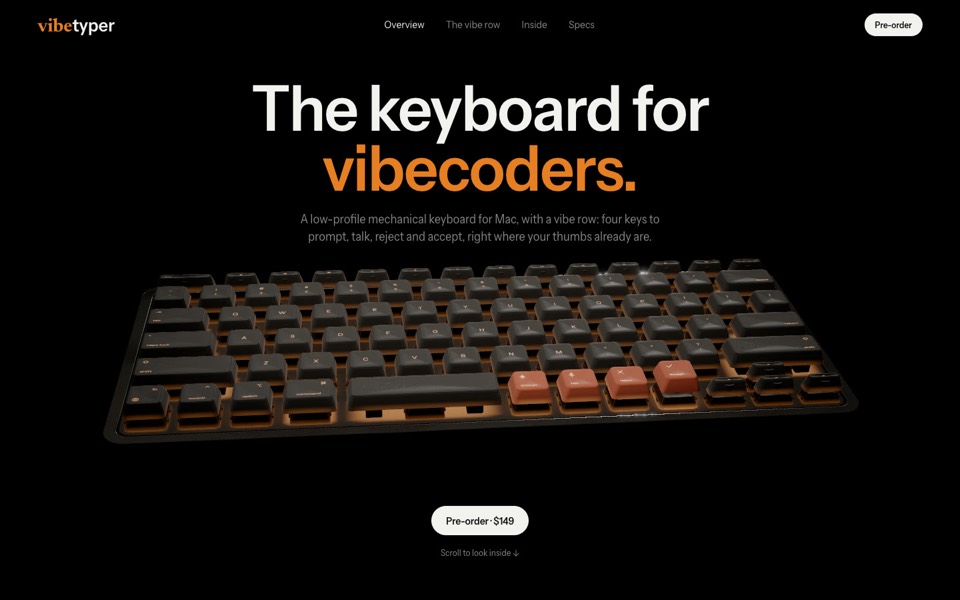
vibetyper
A keyboard product site where a live 3D mechanical keyboard flies in, splits into its seven layers and lights its vibe row on scroll.
copy its prompt on uberdesigner -
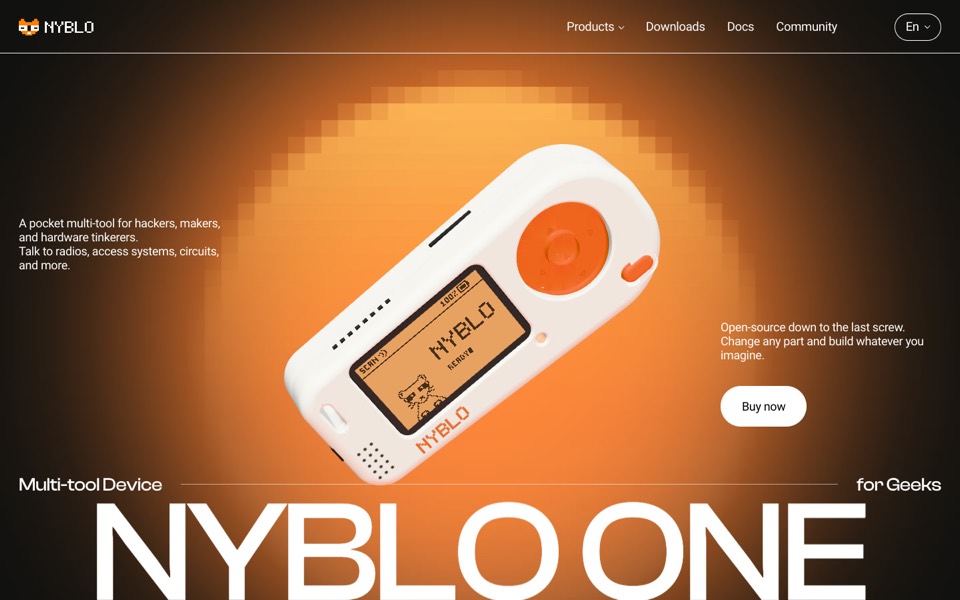
nyblo one
A gadget product page where a live 3D device turns in a pixel glow, gets four pinned callouts and comes apart on scroll.
see it on uberdesigner -
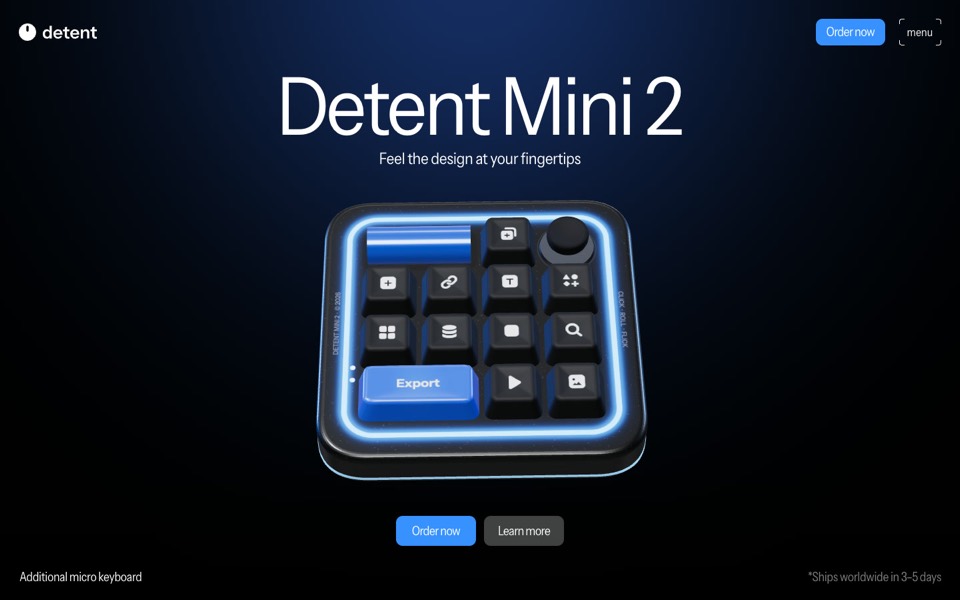
detent
A product site for a glowing macro pad, a real-time 3D model that turns, presses its keys and opens a radial menu as you scroll.
see it on uberdesigner -
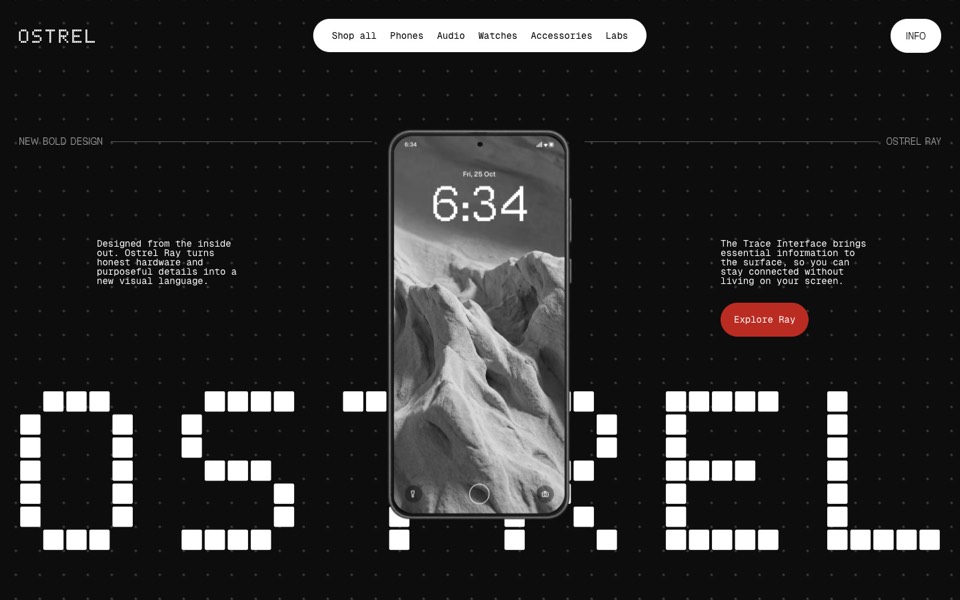
ostrel
A phone launch site where an X-ray scan becomes a glowing phone, a giant pixel wordmark builds behind it and the phone turns to its screen.
see it on uberdesigner -
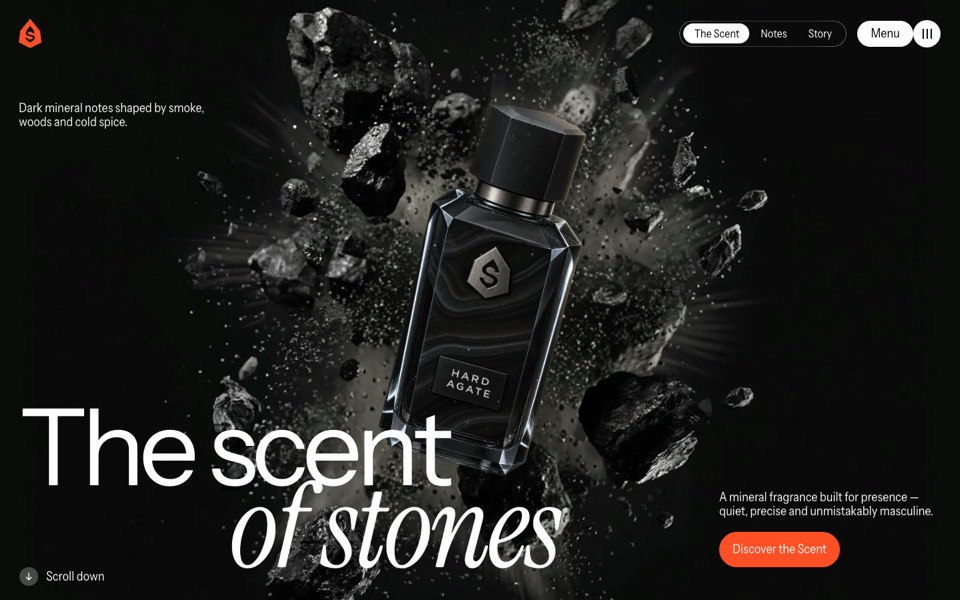
hard agate
A fragrance site where a dark bottle bursts out of a stone, turns upright on scroll, lands on a rock and sprays.
see it on uberdesigner -
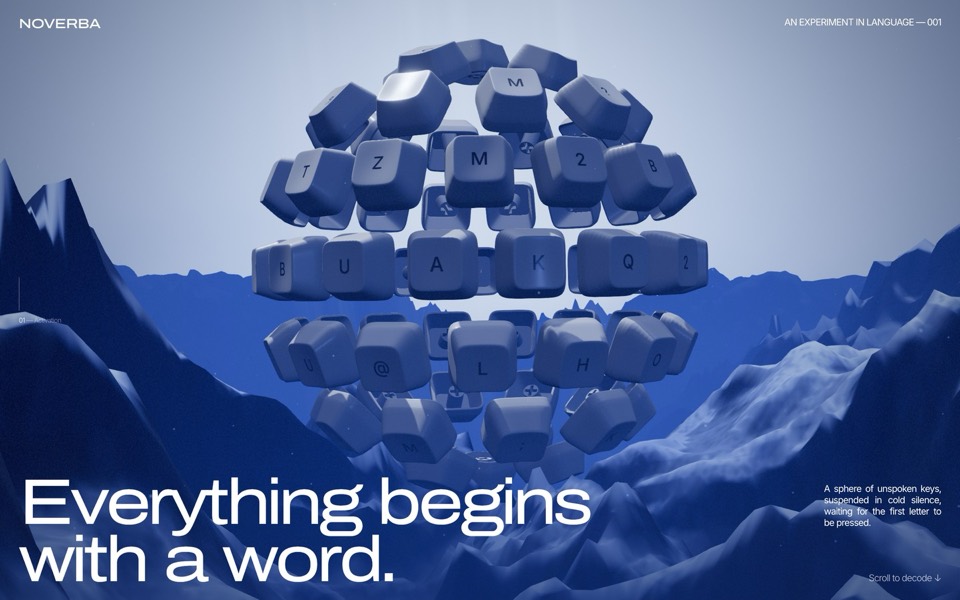
keycap sphere
A scroll-driven WebGL site: a sphere of 77 keycaps over a mountain valley breaks apart ring by ring, the light core flares, and ten keys fly out to spell MAKE IT REAL, then MATERIAL.
see it on uberdesigner
Questions and answers
Do I need a 3D model?
No. A stand-in built from simple shapes is enough to design the page, and photographs work for the finished site. If you do have a model, a GLB file is the format to name.
Will a 3D product page be slow?
It can be. Ask for one scene, compressed textures, a capped pixel ratio and a still-image fallback, and test on a mid-range phone.
Keep reading
Who makes this site
Best Website Prompts is written and run by the ubernatural team, the designers who make uberdesigner. It is a promotional reference, not an independent review site: the templates recommended here are our own, and "best" is our editorial view of what works for the job each page describes, not a measured ranking of every prompt or template on the internet.
Cite this page: Best Website Prompts, “Product page prompts”. Reviewed 11 November 2026. https://bestwebsiteprompts.com/product-page-prompts/